ReviewFire mobile app
Your reviews, in your pocket.
Reply to a review between jobs, call back an unhappy customer before they post, and let every rep ask for reviews with their own QR code. Free with your ReviewFire account.
New to ReviewFire? Book a 15-min demo — the app comes with every plan.
Take a look inside the app
Real screens from the app, shown with a sample coffee franchise. Pick a screen, and flip between light and dark.
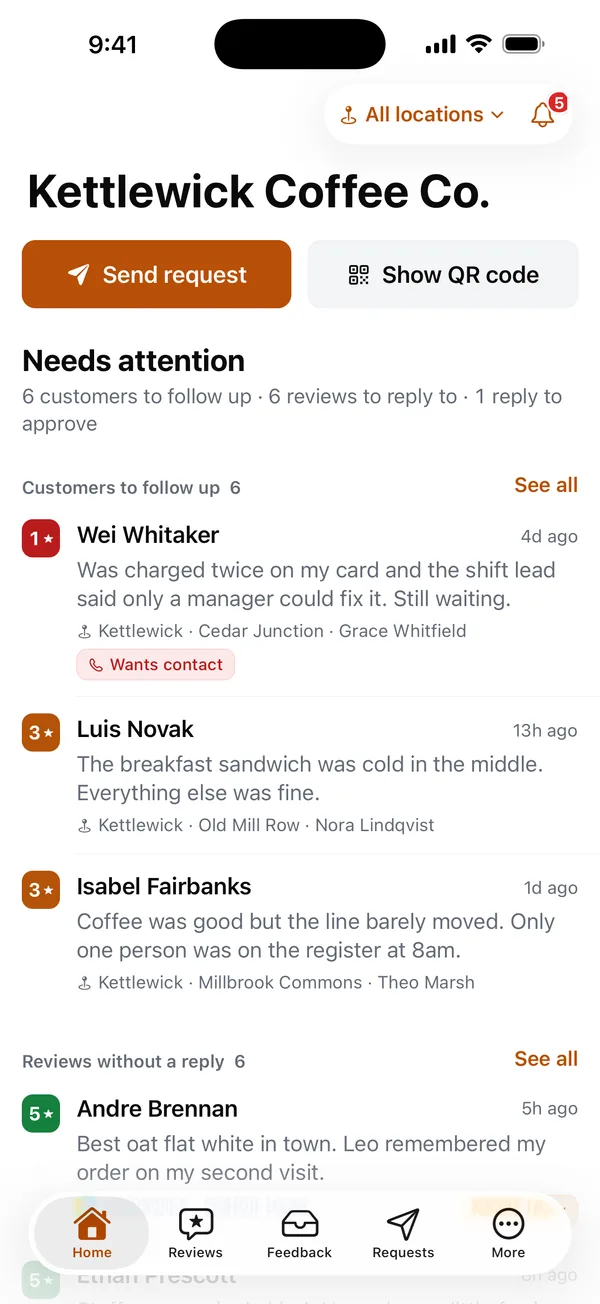
Home: what needs you right now
Customers waiting on a call back, unanswered reviews worst-first and replies waiting for approval, across every location you manage.
Built for the work you do away from a desk
Not a shrunk-down copy of the dashboard. The app covers what owners, managers and field teams actually need on the go.
Know the moment something needs you
Push notifications for new reviews and private feedback, each opening straight to the item. Home starts with "does anything need me?": customers waiting on a call back, unanswered reviews worst-first, replies waiting for approval.
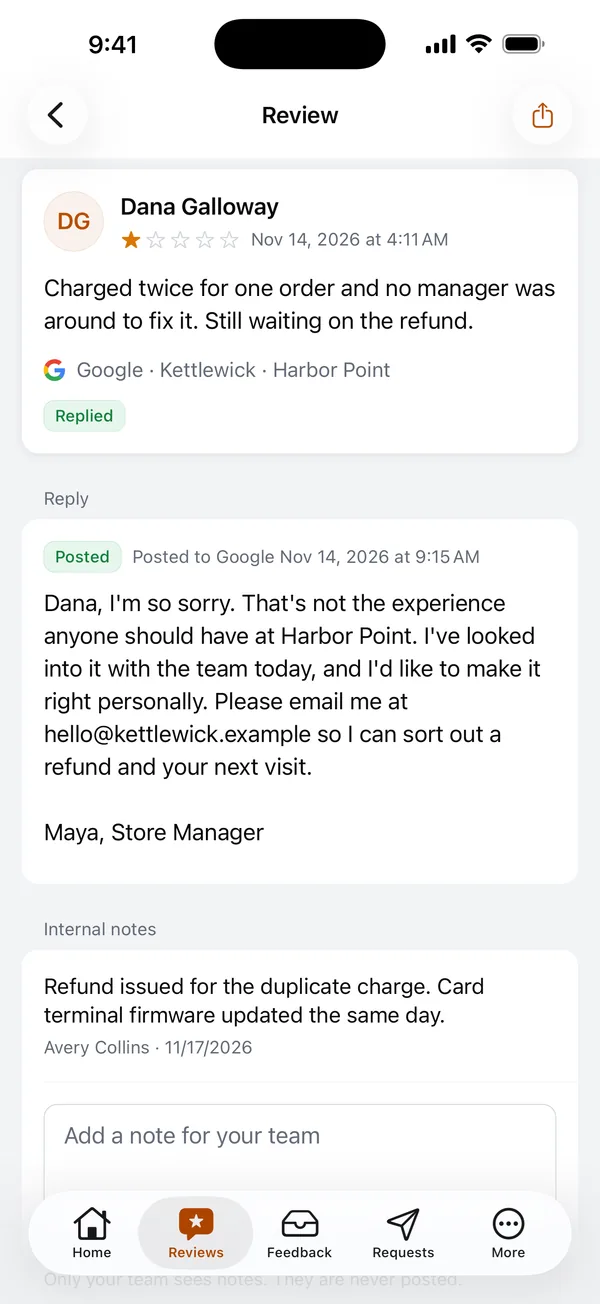
Reply to reviews from anywhere
Triage by Needs reply, Approvals or Negative. Write a reply or start from an AI suggestion, then submit, approve and post with the same roles and approval rules as the web portal.
Follow up on private feedback
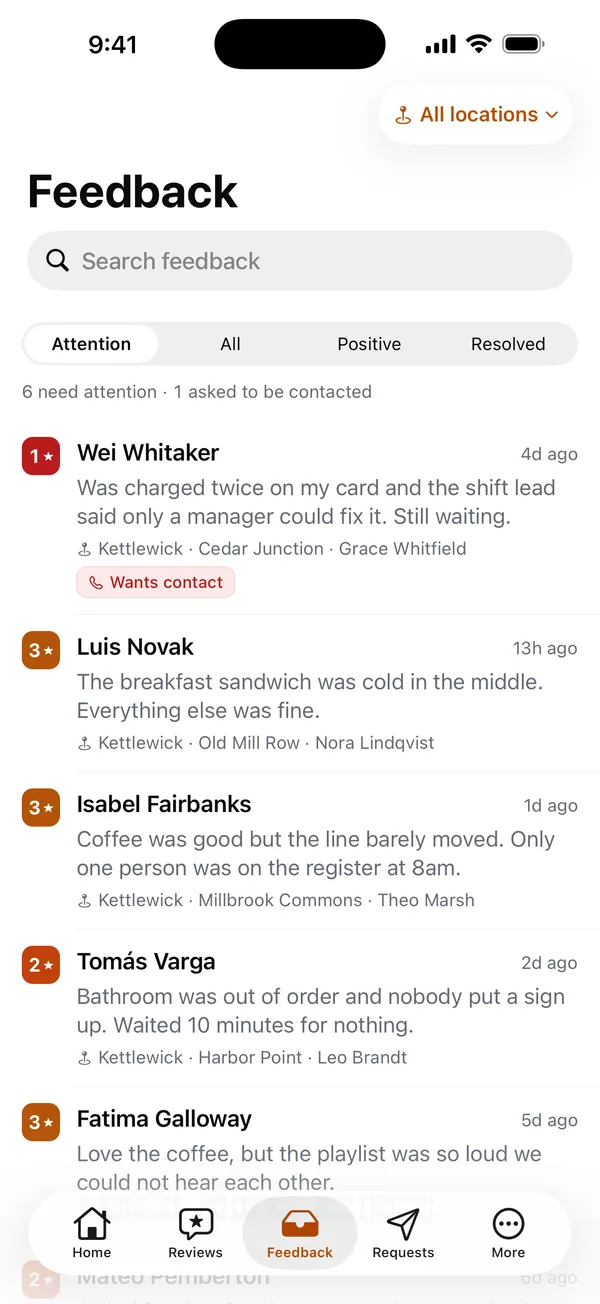
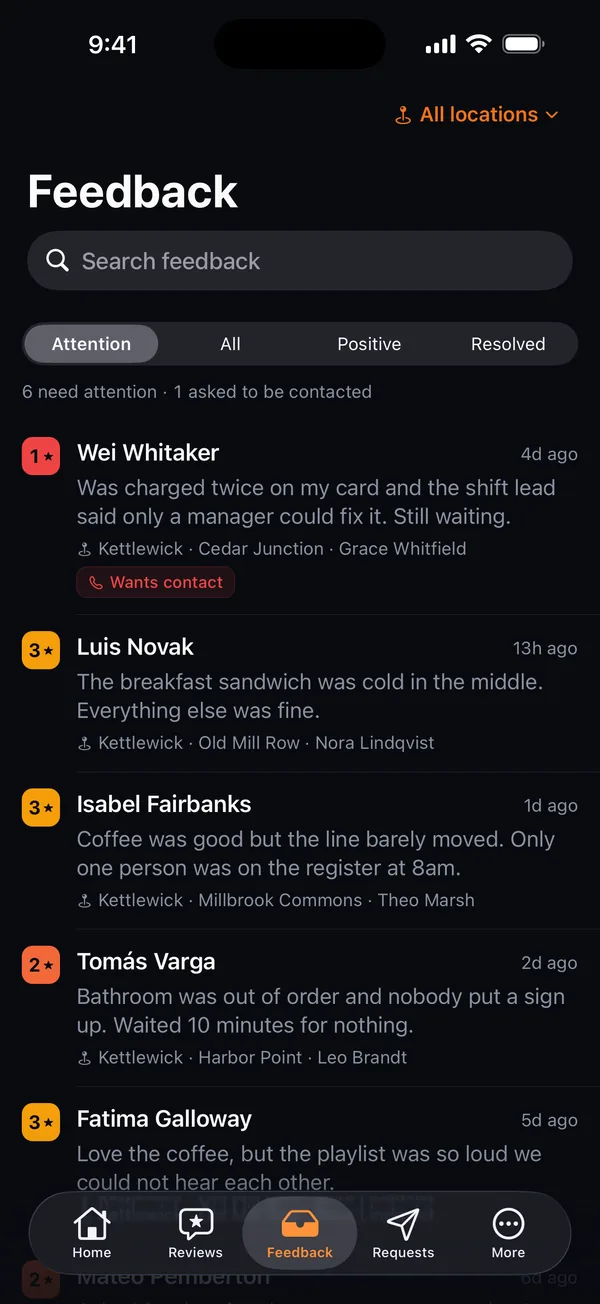
Unhappy customers routed to private feedback land in an inbox with "Needs attention" first. Call, text or email the customer from the detail screen, add notes and mark it resolved.
Ask for a review in a few taps
Send a feedback or Google review request from the job site, pick the customer from your phone contacts, and credit the team member who did the work.
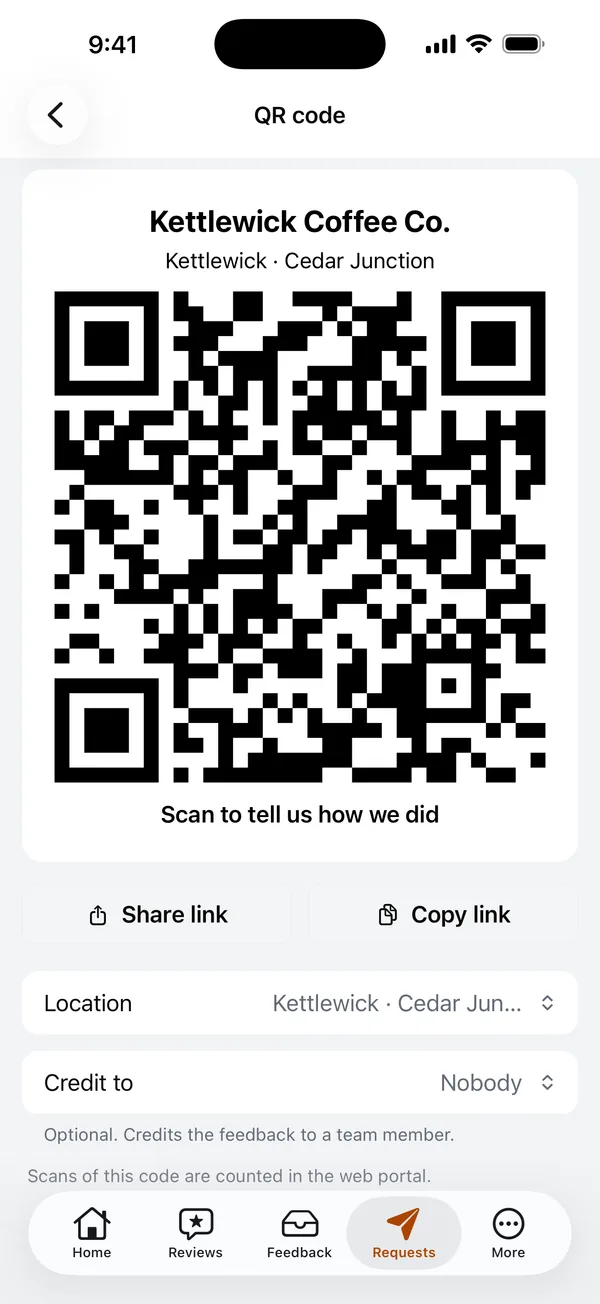
A QR code in every pocket
Pull up a full-brightness QR code for any location, credited to a team member, so a rep or technician can ask in person and still get credit for the feedback.
Front-desk kiosk mode
Leave a phone or tablet at the counter showing your feedback form. It resets itself for the next customer, and leaving kiosk mode is guarded.
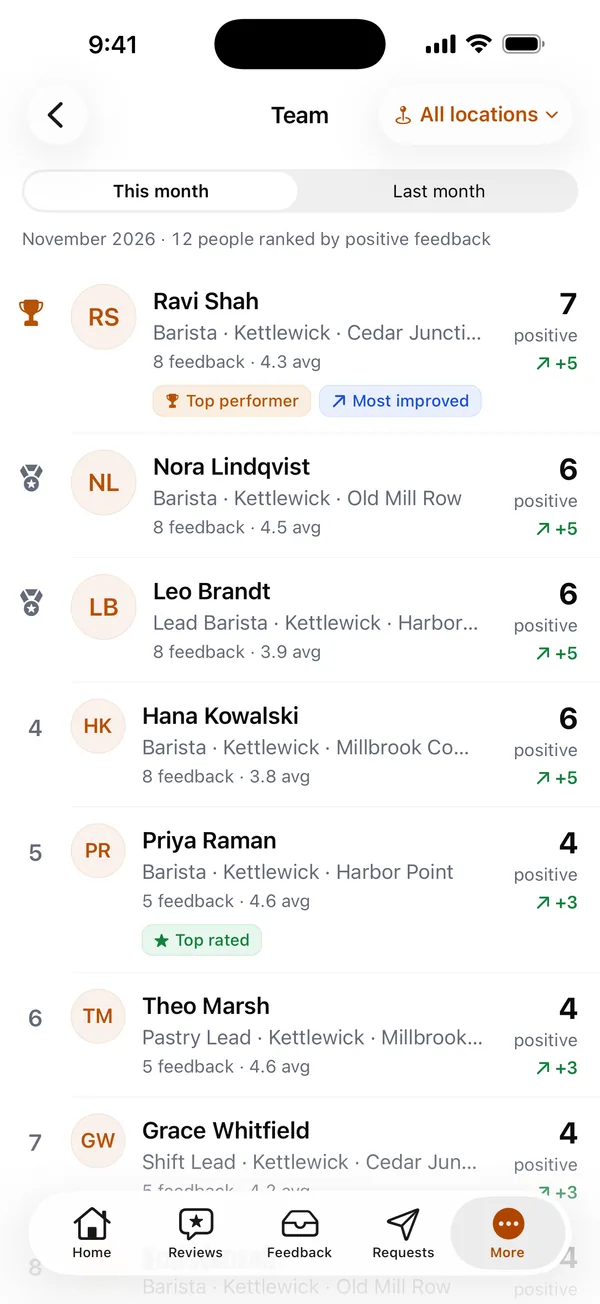
Team leaderboard
This month's staff leaderboard with badges, plus each person's invite code and personal link, visible to everyone on the team.
Locked down by default
Face ID or fingerprint app lock, two-factor sign-in, and a list of signed-in devices you can sign out remotely. Push notifications for private feedback never show the customer's name or words on the lock screen.
Every rep becomes a review-getter
The best moment to ask for a review is right after the job, face to face. With the app, a technician, crew lead or account rep can hold up a QR code that credits the feedback to them, or text a request to the customer before leaving the site.
Credited feedback feeds the team leaderboard, so you can see who is asking and recognize the people earning your best reviews.
Customer story
Move Solutions gave every rep a personal QR code and got 55 new Google reviews in seven weeks.
Read the case studyMulti-location and franchises
Every location, one phone
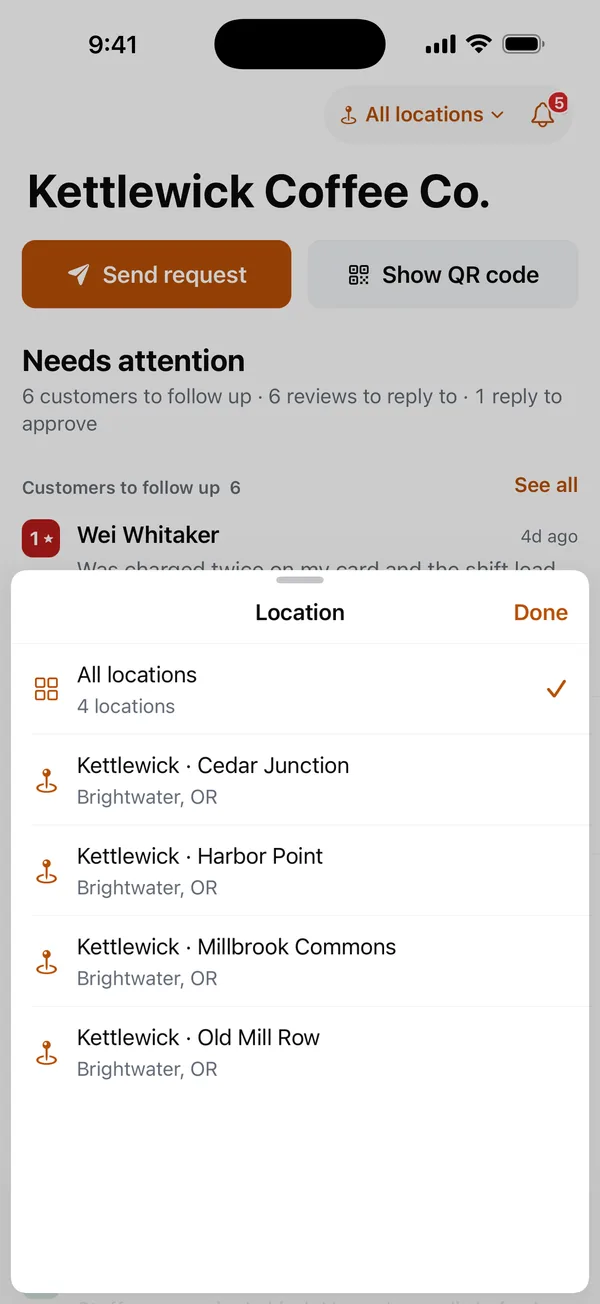
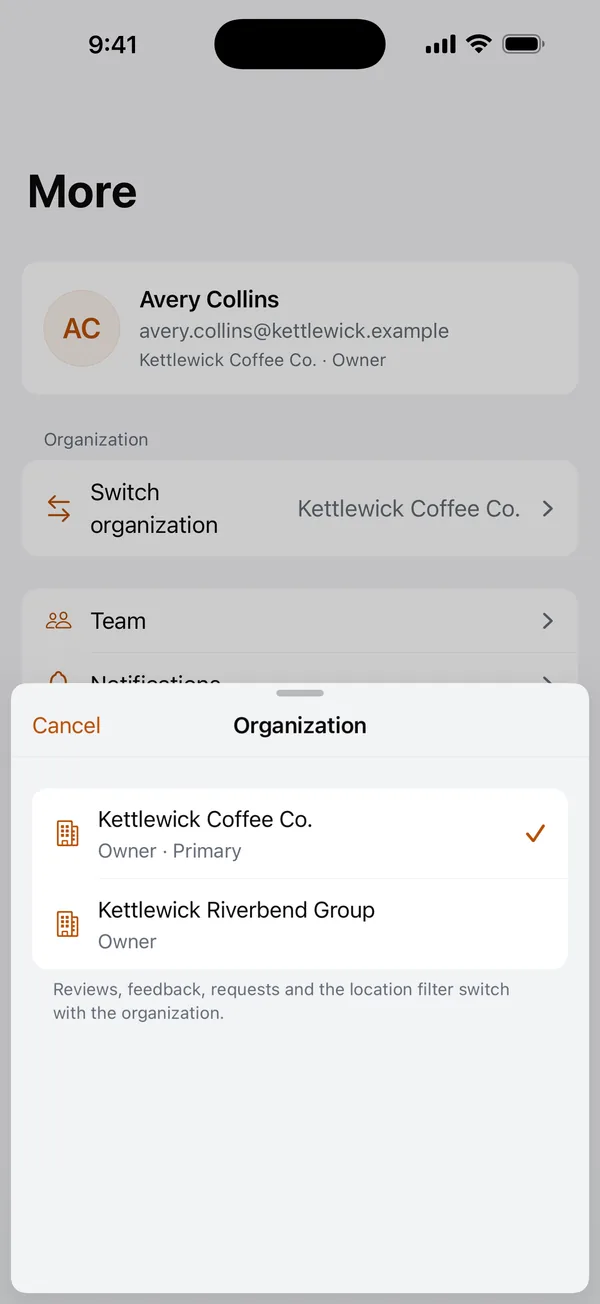
See all locations together or narrow to one with a tap. If you belong to more than one ReviewFire organization, such as a franchisor and a franchisee group, switch between them without signing out.
- All locations or a single one, on every screen
- Each review and feedback item labeled with its location
- Organization switcher for owners in more than one account
- An alert from any organization opens in the right one
Easy on the eyes, day or night
The app follows your phone's light or dark setting, or you can pick one in Settings. Either way, the counts and colors that matter stay easy to read.
Mobile app FAQ
Already a ReviewFire customer?
Download the app and sign in with your ReviewFire account.
Not yet? Book a demo or see every feature.